


So you're thinking about getting into DTF (Direct to Film) printing. That tells me you have a real interest in the custom apparel market. But let me be upfront: DTF printing is a system, not just a printer.
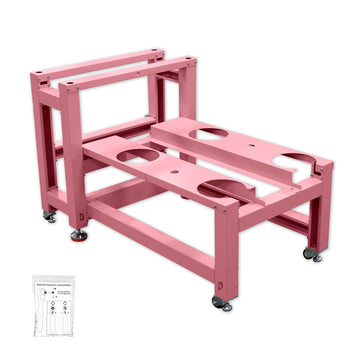
Beyond the printer itself, you'll need a heat press, powder shaking/curing equipment, plus consumables like ink, PET transfer film, and hot melt powder. A complete entry-level setup will likely run you somewhere in the $4,000 to $7,000 range. That's the reality, and it's good to know that going in.
Now, when it comes to the printer itself, what should a beginner actually look for? I've put together a few core principles based on hard-won experience—hopefully they help you sidestep the mistakes most newcomers make.
1. Go for a Dedicated DTF Printer, Skip the Converted Ones
Entry-level machines generally fall into two camps: converted printers (like modified L1800, R1390, or L805 models) and purpose-built DTF printers.
Converted machines are tempting because of the price tag. But the catch is reliability depends entirely on the skill of the person who did the conversion. If the white ink circulation system isn't done right, clogged print heads become a regular headache. Unless you're technically handy and enjoy tinkering, the money you save upfront will likely end up costing you more in time and wasted materials down the road.
Dedicated DTF printers are the smarter choice for most beginners. They're engineered specifically for the DTF workflow, with properly designed white ink systems and ink delivery channels. The peace of mind alone is worth it.
2. Pay Close Attention to the White Ink System – This Is the Heart of It All
White ink is what makes DTF work, especially on dark fabrics. But here's the catch: white ink contains titanium dioxide, a pigment that settles and clumps over time.
When evaluating a printer, make sure it explicitly includes:
-
A white ink circulation system (to keep ink moving and prevent settling)
-
Agitation or filtration features (to break up clumps and keep the print head clear)
This isn't a nice-to-have—it's the single most important factor in print quality and maintenance frequency. Don't compromise on this.
3. Start with A3 Size
For a beginner, A3 (about 13 inches wide) is the sweet spot. It handles the vast majority of T-shirt and hoodie designs, while keeping both machine and consumable costs manageable. Once your order volume grows, you can always upgrade to a wider format later. No rush.
4. Don't Use Pirated RIP Software
DTF printing requires dedicated RIP (Raster Image Processor) software to manage colors and generate the white ink base layer. Here's a warning you'll thank me for later: use legitimate, licensed software.
A lot of budget machines come bundled with pirated RIP versions. On the surface, it saves you money. In reality, it opens the door to viruses, constant crashes, and printing errors that are nearly impossible to troubleshoot. Saving a few bucks on software is one of those "penny wise, pound foolish" traps. Don't fall for it.
5. These "Convenience Features" Matter More Than You Think
Beginners often overlook these details—but they directly affect your day-to-day experience:
-
Holiday Mode: If you step away for a few days without this feature, there's a good chance you'll come back to a clogged print head. Holiday mode keeps the system stable while you're away, so you can actually enjoy your time off without worrying about your printer.
-
Auto Cleaning Function: White ink systems can be finicky, and manual cleaning is tedious. If you're new to this, prioritize a printer with automatic cleaning. Otherwise, you'll spend an absurd amount of time dealing with white ink issues instead of printing.
-
Auto Cutter: Don't underestimate this. Hand-cutting film unevenly wastes material over time—and PET film isn't free. An auto cutter gives you clean, precise cuts and saves you money in the long run.
-
24/7 Technical Support: This might sound like marketing fluff, but trust me—when your machine acts up on a Sunday evening and you have no one to ask, you'll feel it. Many beginners try to fix things themselves out of impatience and end up making things worse. Having reliable support when you need it is a game-changer.
6. If Your Order Volume Is Low, This Is the Most Practical Setup
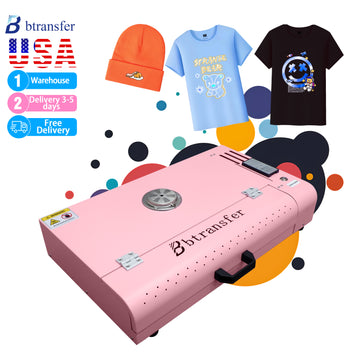
If you're just starting out and not handling high daily order volumes, my recommendation is this: printer + small oven/curing unit bundle. It's the most cost-effective way to get started—and you can put together a solid setup for around $3,000 USD.
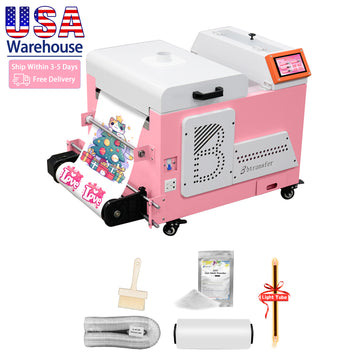
Our B btransfer M1630 Pro model checks every box we just covered:
-
Purpose-built DTF printer
-
white ink circulation and stirring system
-
Holiday mode
-
Auto cleaning
-
Auto cutter
-
Genuine RIP software
-
24/7 technical support

For beginners who want a smooth start and want to focus their energy on design and taking orders rather than troubleshooting hardware, this is one of the few "no-brainer" options on the market right now.
I hope this guide gives you a clear framework for making your first purchase. Your first machine doesn't need to be the biggest or fastest—it just needs to be stable, reliable, and clog-free. If it does those three things well, you're off to a great start.
Wishing you a smooth journey into the world of DTF printing!


