









Black T-shirts are a favorite in custom apparel. They're stylish and versatile, and they make colorful designs stand out. But can DTF printing produce bright, long-lasting prints on black fabric?
Absolutely! With the right materials and settings, DTF (Direct-to-Film) printing works just as well on black T-shirts as it does on lighter fabrics.
In this guide, we'll show you how to print DTF designs on black T-shirts, step by step, and share some tips for getting better results.
Why Is White Ink Important for Black T-Shirts?
The biggest difference between printing on black and white T-shirts is the need for a white ink underbase.
Without white ink, dark fabric can make printed colors look dull or barely visible. A white underbase creates an opaque layer between the fabric and the colored inks, helping your design stay bright and vibrant.
In DTF printing, the printer typically deposits CMYK inks onto the film first, followed by white ink. After heat transfer, the white layer sits underneath the colored design.
For example, if you're printing a colorful logo on a black T-shirt, a properly applied white underbase helps the yellow, red, and other colors stand out.
That's why consistent white ink coverage is essential when printing on dark garments.
What Do You Need?
Before getting started, prepare these materials:
-
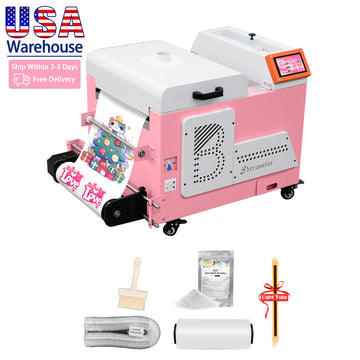
DTF Printer : A printer that supports CMYK and white ink printing, such as the Bbtransfer M1630 DTF Printer.
-
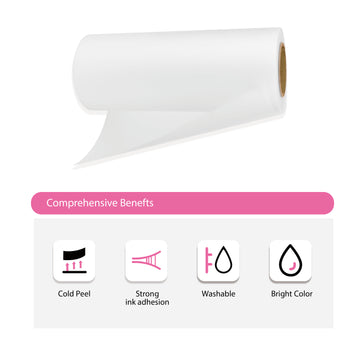
DTF Film : Specially coated PET film designed for DTF transfers.
-
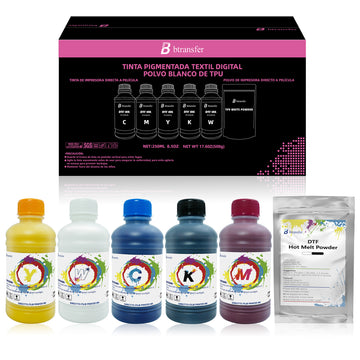
DTF Ink : CMYK inks and white ink for creating colorful designs with a white underbase.
-
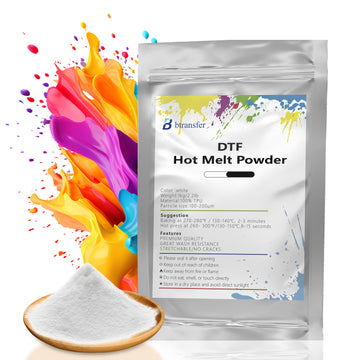
Hot-Melt Adhesive Powder : Helps bond the design to the fabric. Bbtransfer P06 Hot-Melt Adhesive Powder is an option for DTF applications.
-
Heat Press Machine : Provides controlled heat and pressure for transferring designs.
- Black T-Shirt : Cotton and cotton-polyester blends are popular choices.

How to Print DTF on Black T-Shirts: 5 Easy Steps
Step 1: Prepare Your Design
Create your artwork using graphic design software. For sharp results, use a high-resolution image, ideally 300 DPI at the final print size.
PNG files with transparent backgrounds are commonly used for DTF printing.
When designing for black T-shirts, choose colors that contrast with the fabric. Bright colors and white details usually work well.

Step 2: Print on DTF Film
Load the DTF film into your printer and set up the artwork in your RIP software.
Make sure the white ink underbase is enabled. The printer will typically print the CMYK colors first, followed by the white ink layer.
Check the white ink density settings carefully. Too little white ink can make colors look faded, while too much can make the finished print feel thick.
Also, make sure your design is mirrored correctly before printing.
Step 3: Apply and Cure Adhesive Powder
After printing, allow the ink to settle briefly if needed, but do not let it dry. Apply the hot-melt adhesive powder while the ink is still wet and tacky.
Why wait? If the ink is too wet, the powder particles can disturb the ink layer and damage your design during curing.
Don't worry about the powder not sticking! Even after the visible moisture disappears, the white ink is still tacky enough to hold the adhesive powder.
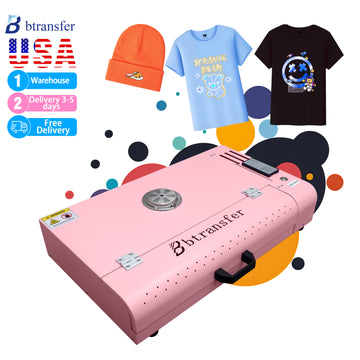
Now, spread the powder evenly over your design and gently shake off any excess. Then, use a curing oven or suitable curing system to melt the powder into an adhesive layer.
Just remember to follow the recommended curing temperature and time for your DTF film and adhesive powder.
Step 4: Heat Press the Design
Place your black T-shirt flat on the heat press and pre-press it briefly to remove moisture and wrinkles.
Position the DTF transfer with the adhesive side facing the fabric.
Many DTF systems use approximately 150–160°C (302–320°F) for 10–15 seconds as a starting point. However, the correct temperature, time, and pressure depend on your materials.
Follow the recommendations from your DTF film and adhesive suppliers.
Step 5: Peel and Finish
After heat pressing, peel off the film according to its instructions.
Some DTF films support hot peeling, while others require warm or cold peeling.
If recommended, perform a short second press using a suitable protective sheet to improve the finish and adhesion.
Your custom black T-shirt is now ready!
Common Problems and How to Fix Them
Even experienced printers sometimes run into issues. Here are three common problems when printing on black T-shirts.
1. Colors Look Dull
This usually happens when the white ink underbase is too thin or uneven.
Check your white ink density settings and make sure the printhead is working properly.
2. White Edges Around the Design
Visible white outlines may indicate that the white underbase is misaligned or extends beyond the colored design.
Check your printhead alignment and adjust the white underbase choke settings in your RIP software, if available.
3. The Design Peels After Washing
Peeling can result from insufficient adhesive powder, improper curing, or incorrect heat press settings.
Make sure the powder is evenly applied and fully cured. Also, double-check your heat press temperature, pressure, and time.
Tips for Better Results
Want to improve your DTF prints on black T-shirts? Keep these tips in mind:
- Use high-contrast designs : Bright colors usually stand out better on black fabric.
- Maintain your white ink system: Proper circulation and regular maintenance help prevent clogged nozzles.
- Remove lint before pressing: Use a lint roller to keep the printing area clean.
- Test before bulk printing: Different fabrics and materials may require different settings.
- Follow proper washing instructions: Wash inside out and avoid high-temperature drying to help protect the print.
Final Thoughts
DTF printing on black T-shirts is a great way to create vibrant, detailed custom apparel. The key is getting the white ink underbase right and using proper adhesive curing and heat press settings.
Whether you're making personalized gifts, custom streetwear, or merchandise for your business, DTF printing offers plenty of possibilities.
With equipment like the Bbtransfer M1630 Pro DTF Printer and suitable materials such as Bbtransfer P06 Hot-Melt Adhesive Powder, you can build a reliable workflow for printing on black T-shirts.
Ready to create your own designs? Explore Bbtransfer's DTF printing solutions and start bringing your ideas to life!


